Figma to email in one click
Copy your frame in Figma, paste it in Mailkick. Layouts, typography, and images come along.
For marketing, CRM, and design teams
Design. Personalize. Ship.
Figma to ESP in minutes. Variables, brand tokens, QA — built in.
Shipping emails
faster than ever






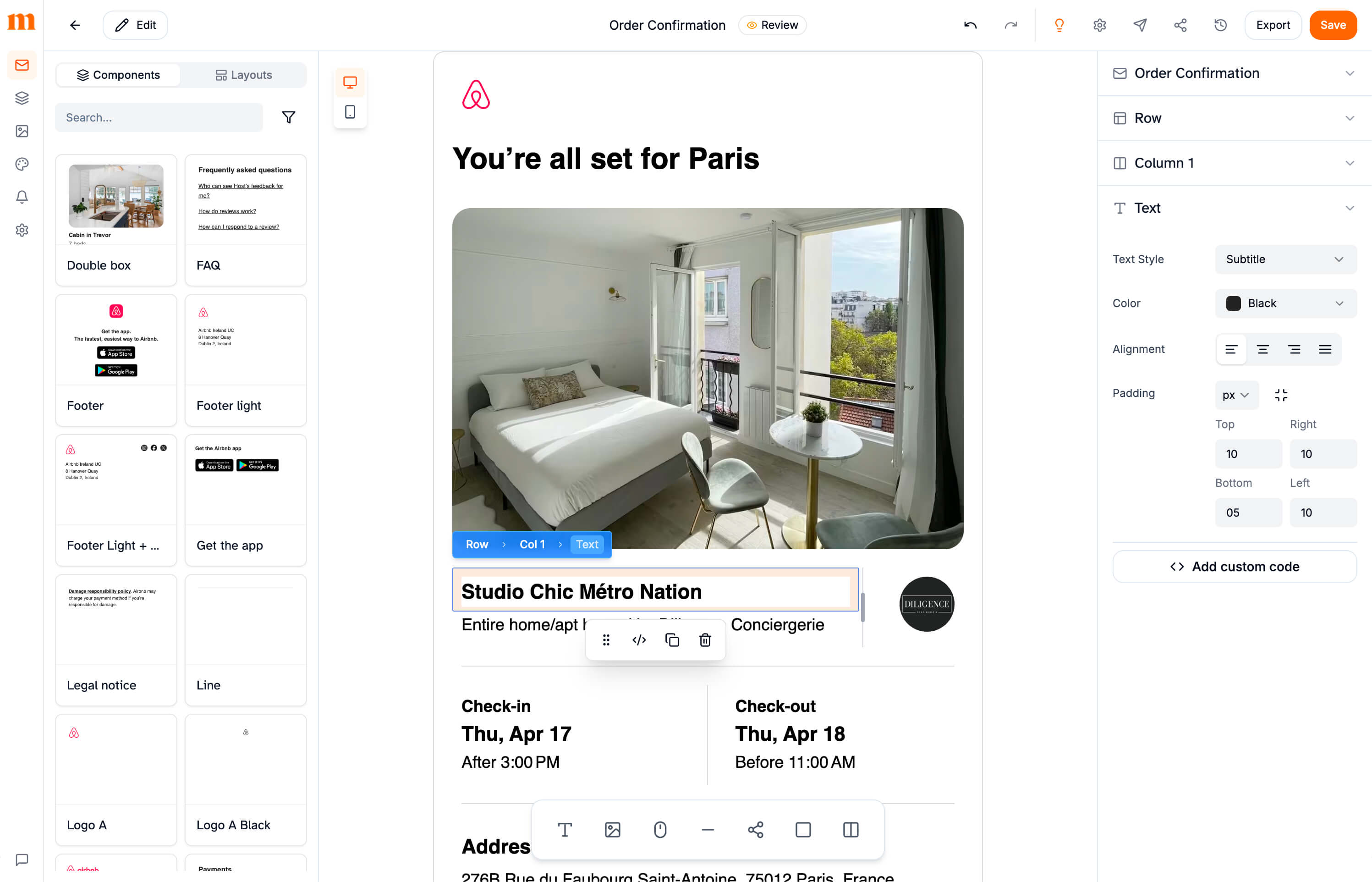
The editor below is the real product.
Click around, move a block, change a color.
Import from Figma, paste an existing HTML email, or start from scratch. Components, brand tokens, and templates then live in one shared library.
See the Figma pluginBuild in a visual editor made for designers. Change a button style once and every email that uses it follows.
Open the editorExport clean responsive HTML, or sync straight to Brevo, Klaviyo, SendGrid, Customer.io, and HubSpot.
See what is includedOne tool, from the first Figma frame to the send button. No copy-pasting between apps, nothing to rebuild.
Copy your frame in Figma, paste it in Mailkick. Layouts, typography, and images come along.
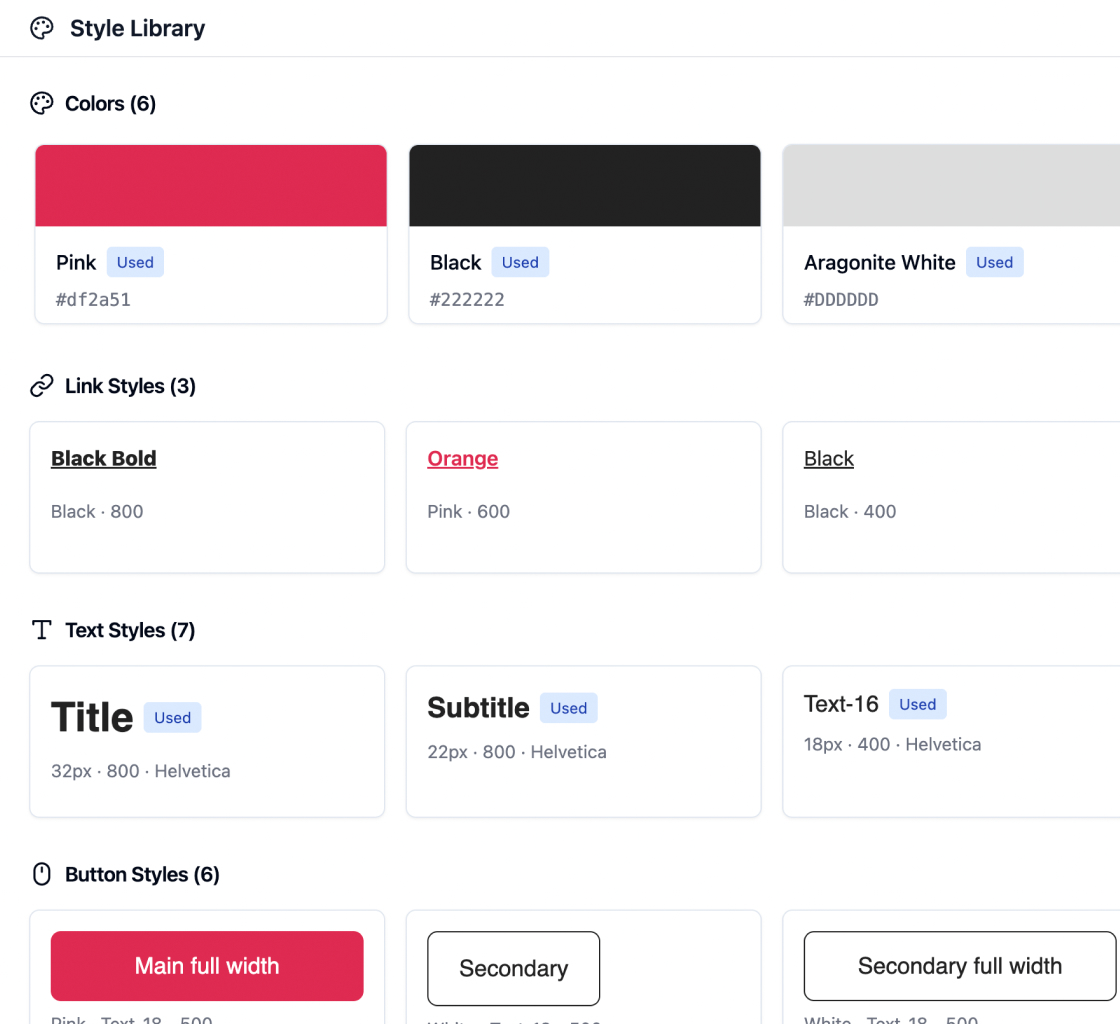
Colors, text styles, and buttons live in one library. Change a token and every email follows.
Build a header once, reuse it everywhere. Update the source and every email using it syncs.
In the template
Hi {{first_name}},
In the preview
Hi Peter,
Preview every email with real data. See the actual first name instead of the raw token, and catch layout issues before sending.
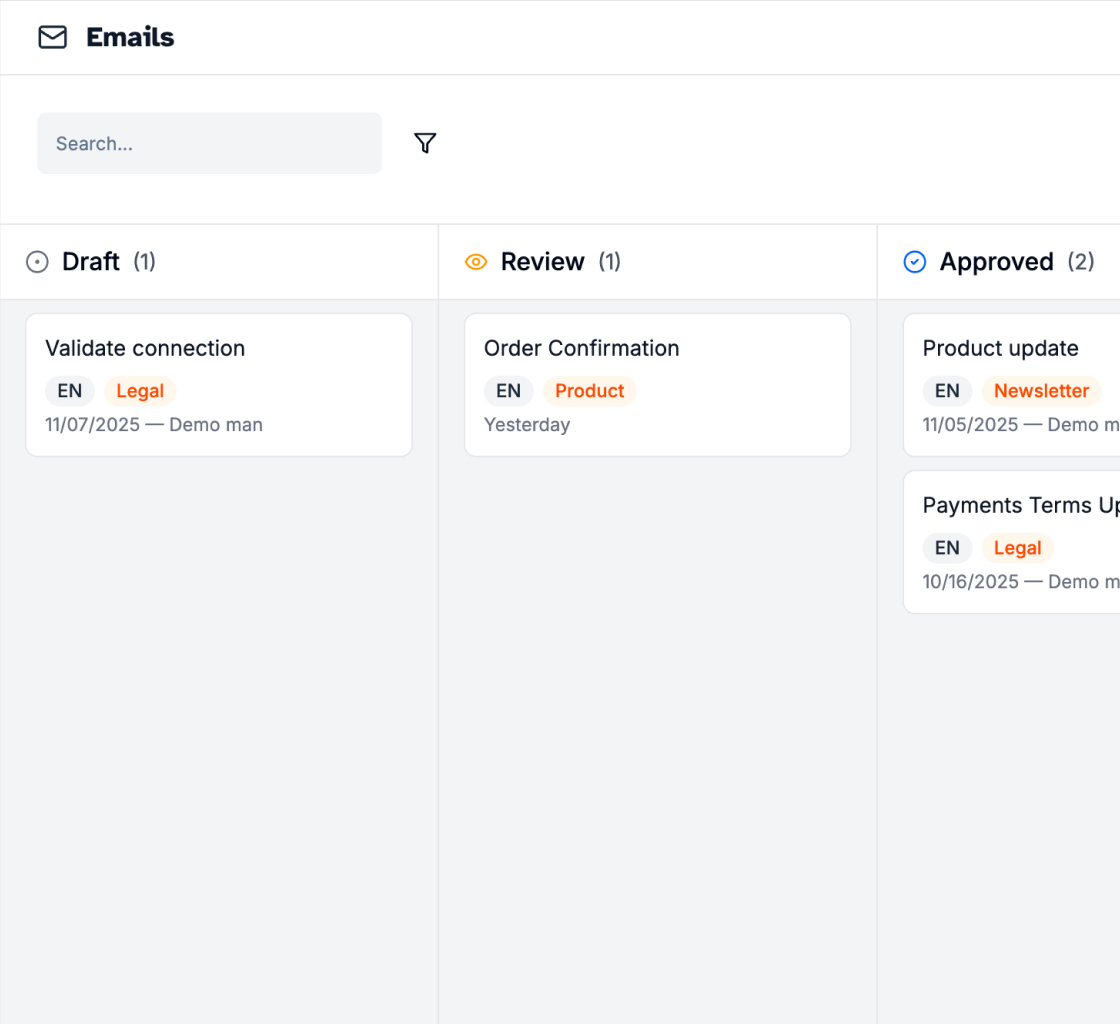
Comments on elements, kanban statuses, and text-only access for translators. No more Slack threads.
Translate in context into 28 languages, and catch broken links or heavy images before you hit send.
Powered by React Email, and validated on Litmus and Email on Acid across 70+ clients.





Today, someone copies your design by hand into your ESP. To change one footer, you open every template. With Mailkick, you change it once and every email follows.
Email design editor
Figma-level control, any layout
ESP editors and block builders: Feels like 2005
Component updates
Auto-sync to every email
ESP editors and block builders: Manual, one by one
Design tokens
Change once, updates everywhere
ESP editors and block builders: Static, copy-paste
Email translation
Edit in the email, see the master
ESP editors and block builders: External doc, no preview
ESP sync
Batch sync, flags outdated emails
ESP editors and block builders: One at a time, no tracking
Team collaboration
Comments, kanban, role-based access
ESP editors and block builders: Extra per seat, no pipeline
Pre-send QA
Links, weight, spelling
ESP editors and block builders: Manual checks
Pricing
Free tier forever
ESP editors and block builders: $15 to $35 per user, per month
Marketing, CRM, and design teams use Mailkick to ship on-brand email faster.
We went from 3 hours per email to 20 minutes. Components sync across 40+ templates, we never rebuild anything.
Marie L.
Head of Marketing, SaaS
The translation workflow is a game changer. Our translators edit directly in the editor without breaking layouts.
Thomas R.
Product Lead, E-commerce
Finally an email builder that feels like a real design tool. Custom CSS, design tokens, Figma-level control.
Sarah K.
Email Designer, Agency
Component sync alone saved us 10 hours a week. No more updating footers in 50 templates one by one.
Alex M.
CRM Manager, Fintech
We onboarded our whole team in one afternoon. The learning curve is basically zero.
Julie P.
Marketing Director, Retail
The Figma plugin changed everything. Design in Figma, export to Mailkick, sync to Brevo. Done.
Lucas D.
Design Lead, Agency
Pre-send QA catches issues we used to miss. Broken links, heavy images, all flagged before we hit send.
Nina B.
Email Ops, SaaS
Switched from Stripo and never looked back. The editor is leagues ahead, and the pricing is actually fair.
David W.
Growth Lead, Marketplace
Having comments directly on email elements means no more Slack threads to decode. Feedback is crystal clear.
Camille F.
Project Manager, B2B
Everything about building, reviewing, and shipping email with Mailkick.
Mailkick is powered by React Email and generates production-ready HTML that renders perfectly across all major email clients including Gmail, Outlook, Apple Mail, and Yahoo. Export clean code or sync directly to your ESP.
No coding required. Mailkick is a visual drag-and-drop email editor. Design your emails visually and we handle all the complex email HTML and CSS for you.
Mailkick works with any ESP: export clean HTML and paste it anywhere. Pro users can also sync directly to Brevo, Klaviyo, SendGrid, Customer.io, and HubSpot, or push to any other tool with a webhook.
Yes. Upload images directly to Mailkick and they're automatically hosted on your own domain. Resize, crop, and optimize images without leaving the editor.
Pro plans include contextual comments, @mentions, approval workflows, and granular permissions. Give translators text-only access while keeping your brand locked.
Yes. Our Figma plugin lets you export designs directly to Mailkick. Layouts, typography, and images are preserved—no manual rebuild needed.
Yes. The free plan includes unlimited team members, unlimited emails, and full access to the visual editor. Upgrade to Pro for reusable components, ESP sync, AI translation, comments, and test sends.
Yes. Paste any HTML email into Mailkick and it's converted into editable blocks. You can also recreate designs from a screenshot or URL using our AI import tool.
Select an email, pick your target languages from the 28 supported, and Mailkick creates translated copies with AI. Variables and links stay protected. Translators can edit directly in the editor with the master version side by side.