Your AI, on your
email design system.
Mailkick MCP is an MCP server for email. It connects Claude, ChatGPT, Cursor or Claude Code to your workspace, so what your assistant builds starts from your components, your styles and your rules.
Included in Team and Enterprise plans.
Build a welcome email for new guests, using our header, footer and button styles.
Claude
I’ll start from your workspace: the Header and Footer components, your Primary button style and your colors.
Used Mailkick MCPlist_componentsget_design_tokenscreate_email
Done. Welcome is saved in your workspace as v1, under your name.
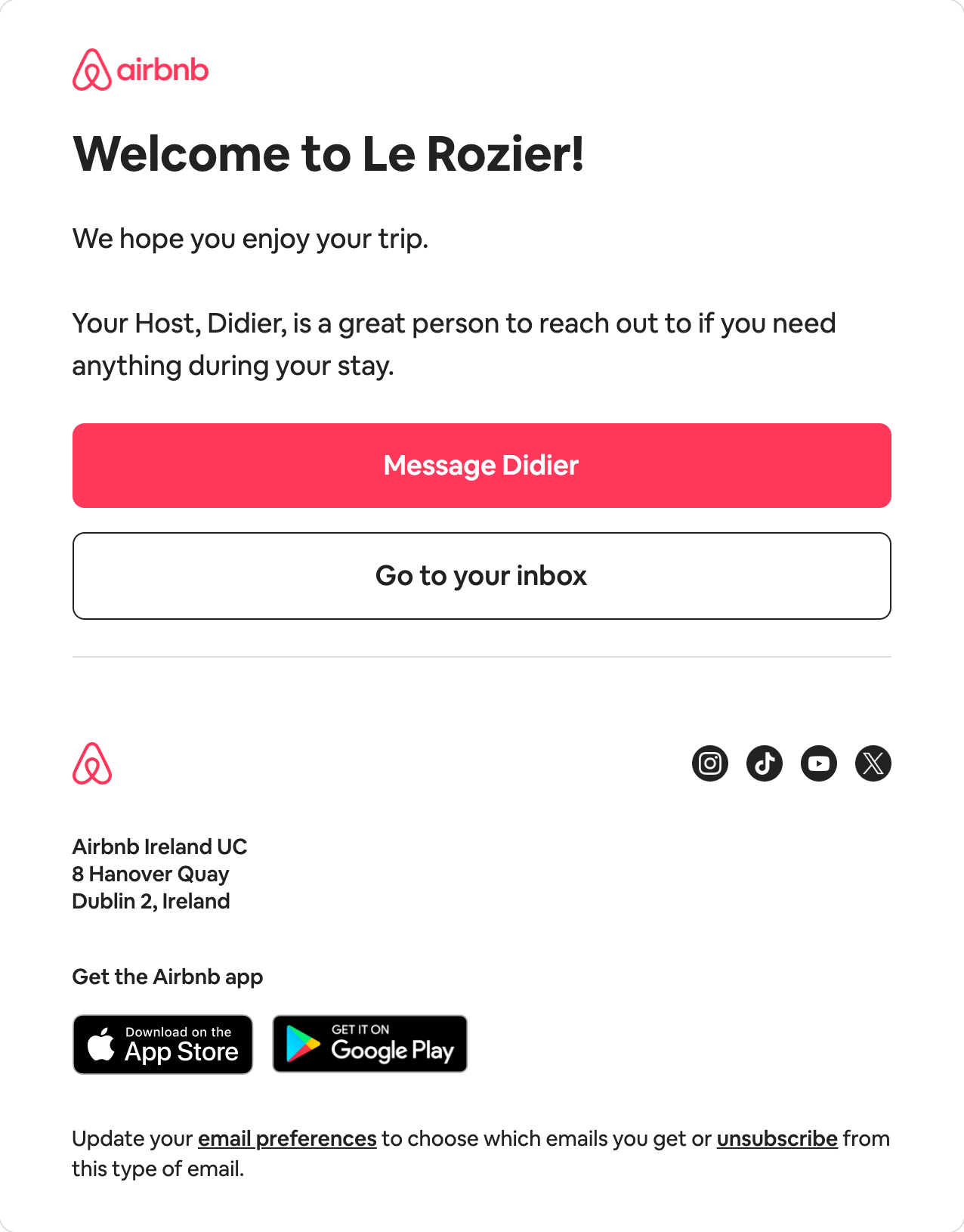
- Header
- Your Header component, as is. Logo, spacing, link.
- Message Didier
- Your Primary button style. Color, radius, padding.
- Footer
- Your Footer component. Address, social links, legal.
- Colors and fonts
- Design tokens, not hard-coded values.
Shipping emails
faster than ever






AI can write an email.
But it has never seen your brand.
So it guesses, and it shows.
Mailkick MCP ends the guessing.
Welcome aboard!
Hi there,
Thank you for joining us. We’re excited to have you on board. Click the button below to get started with your account.
Get startedIf you have any questions, feel free to reply to this email.
Best regards,
The Team
You received this email because you signed up on our website. Unsubscribe
A layout it invented, a default blue button, no header, no footer.
Your header, your button style, your footer. Saved as v1 in your workspace.
Ask anything.
Get it in your workspace.
Copy a prompt to try it yourself.
Build a welcome email using our header, footer, colors and button styles.
create_emailTranslate this email into French using our translation rules.
translate_emailShow the discount block only to customers without an active subscription, in Liquid for Customer.io.
update_elementSync this email to Customer.io and show me what changes before publishing.
sync_emailWhich emails use the Footer component?
list_componentsExport the HTML of this email so I can use it in my sending tool.
export_html
Your rules
still apply.
Set up in under a minute.
Sign in from Claude.ai or ChatGPT. One personal key for Claude Desktop, Cursor and Claude Code.
- Claude.aiSign in
- ChatGPTSign in
- Claude DesktopPersonal key
- CursorPersonal key
- Claude CodeOne command
- Setup guidePer tool
- 1
Open Settings → MCP
Pick your assistant under Connect Mailkick.
- 2
Sign in, or create a key
Claude.ai and ChatGPT sign in with your Mailkick account. Other tools use a personal key.
- 3
Paste it in your tool
The server URL, the configuration or the command. Then ask.
Frequently asked questions
Your next email starts
with a prompt.
Connect your assistant. Build on the result in Mailkick.
MCP is included in Team and Enterprise. View plans